


Video Meeting - Meeting
4.25.00 Reviews
App Specs
- Version
- 1.1.6
- Updated On
- License
- Free
- Downloads
- 10,000+
- Developer
- Innometrics Enterprise
- Categories
- Communication
- Platform
- Android
Screenshots
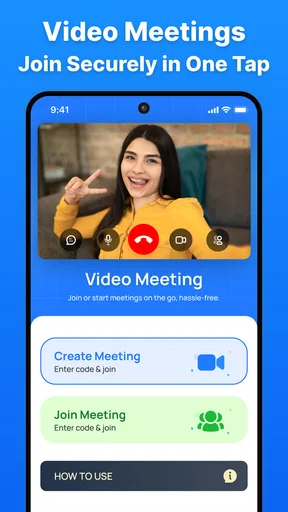
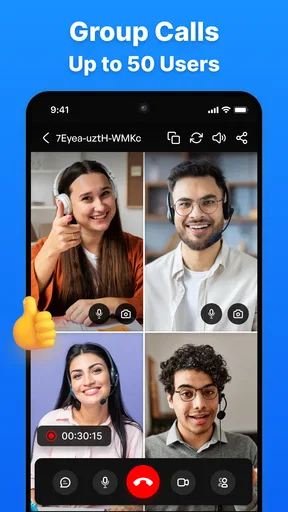

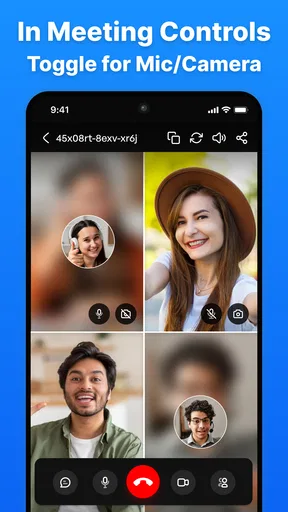

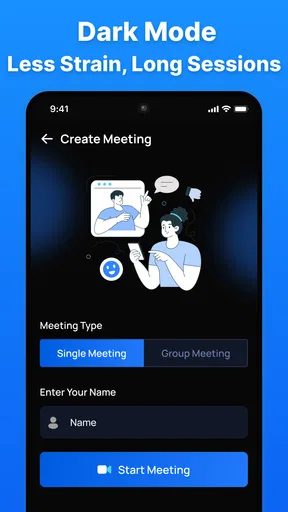


 Analysis by AppCompare
Video Meeting - Meeting is a communication app from Innometrics Enterprise that focuses on online conversations rather than messaging or social feeds. I approached it as a practical option for joining a video call, arranging a team discussion, or speaking with one person without paying an access fee. Its store summary highlights meetings without time limits and HD calls, so the important question is not whether it sounds appealing, but whether that promise fits the way you actually communicate.
My overall impression is that this is a straightforward choice for people who want a free video-meeting tool and do not need a large ecosystem around it. The app has a 4.2 average from around 48 ratings, with roughly five written reviews, and it has passed the ten-thousand-install mark. That gives it some early visibility, although it is still a much smaller product than the familiar names most people already use for work and personal calls.
What Video Meeting - Meeting is really offering
The app belongs to the communication category, and its identity is refreshingly narrow: it is built around video meetings. I would not choose it expecting a full collaboration suite, a social network, or a replacement for every communication tool on a phone. Its appeal is the possibility of opening a meeting space and getting people into a conversation without dealing with a paid subscription.
The current release is version 1.1.6, and the app was released on October 17, 2025. It runs on Android 8.0 and later, which makes it accessible to people who keep older phones instead of upgrading frequently. The age rating is Everyone, so there is no adult-oriented positioning in the way the app is presented.
The developer is Innometrics Enterprise, a name that may be unfamiliar to many users. That is not automatically a problem, but it does affect how I would introduce the app to a team. With a widely known meeting service, colleagues often already have an account and know the basic workflow. With a smaller app, the person organizing the call may need to explain the process and encourage participants to install or try something new.
The cost question is refreshingly simple
Video Meeting - Meeting is free. That is the clearest part of its value proposition, and it matters because video calls can become expensive when a service reserves useful meeting features for a subscription. Here, I can consider it without calculating whether a monthly plan is justified or whether a short call will trigger a paid restriction.
Free access is especially useful for occasional users. If I only need to speak with a remote tutor, coordinate a volunteer group, or hold a quick family conversation, I would rather start with an app that does not place a purchase decision in front of me. The same applies to a small team that needs meetings only now and then and wants to avoid adding another recurring expense.
Worth Reading Before You Choose

EA SPORTS FC Mobile 26 Is a Bigger Football Game, but It Takes Time

Flipboard Shows What News Apps Must Do Beyond the Feed

Switching to Android Auto Means Rethinking Your Driving Routine

Google Calendar Makes a Crowded Week Easier to Manage

Ludo King Makes the Most of the Minutes Between Plans

Baby Panda World Brings Quick Play to Modern Phones, but Its Game Library Feels Busy
At the same time, free does not automatically mean better value. The real value depends on whether other people are willing to use the app, whether it behaves reliably on their devices, and whether its meeting tools match their expectations. A free service that creates confusion before every call can cost time even when it costs no money.
I also would not interpret the free price as proof that every advanced communication need is covered. The practical details that matter to a professional group include how invitations are handled, how participants join, what controls the host receives, and how the app behaves when a call becomes complicated. Those questions should be tested with the exact group that plans to use it rather than assumed from the price.
Where the value appears in everyday use
The strongest use case is a small, focused conversation. Imagine a neighborhood committee that needs to decide on a weekend activity. One person can arrange a meeting, send the joining instructions through the group’s normal messaging channel, and use the call for a discussion instead of trying to coordinate several separate phone conversations. Because the app is free, nobody has to ask who will pay for the meeting.
It can also suit one-to-one calls. A student speaking with a mentor, a family member checking in with someone who lives elsewhere, or a freelancer discussing a project may not need a broad productivity platform. For those situations, a dedicated meeting app can feel less distracting than a service surrounded by calendars, document tools, team chat, and administrative settings.
The advertised emphasis on HD calls is useful when the conversation depends on seeing a face, reading a demonstration, or following a presentation on camera. I still treat HD as a practical possibility rather than a guarantee of perfect quality. The final experience depends on the phone, camera, microphone, network, lighting, and the conditions affecting every participant.
The mention of meetings without time limits is potentially more valuable than it first appears. It means a group can focus on the discussion instead of watching a countdown. That is helpful for mentoring, planning sessions, interviews, and personal conversations that do not fit neatly into a short slot. A meeting can end when the participants are finished rather than when the software forces a decision.
One useful workflow is to use the app for the live conversation while keeping preparation and follow-up elsewhere. I would send the agenda in advance through the team’s existing chat, keep a short list of decisions beside me during the call, and share the results afterward in the same place. This avoids expecting a small meeting app to become the team’s entire record-keeping system.
Three practical details I would test first
Before inviting a large group, I would make a short trial call with the person who will host and one participant using the same types of phones expected on the real day. This is more informative than relying on the store summary. It checks whether everyone understands the joining process, whether the camera and microphone behave properly, and whether the organizer feels comfortable managing the conversation.
I would also create a fallback plan for meetings that cannot be interrupted. A free app can be perfectly suitable for routine calls while still being the wrong sole option for an important interview, a time-sensitive appointment, or a public session. Keep a phone number or another agreed communication channel available so that the group can continue if someone cannot join.
A third useful habit is to decide who owns the meeting before sending an invitation. In a casual family call, that may not matter. In a team discussion, it does. The organizer should know how participants will be admitted or managed, how the call will start, and where follow-up decisions will be recorded. This small piece of preparation prevents the app from becoming the focus of the meeting.
I would also ask participants to check their environment before joining. A stable connection, headphones when appropriate, and a quiet room can make a larger difference than the choice between two similar meeting apps. Since the app’s purpose is concentrated on live communication, poor audio or an awkward camera setup will be especially noticeable.
How it compares with familiar alternatives
The usual alternatives in this category often win through familiarity. People already know how to join them, companies may already have accounts, and colleagues may use their calendars, chat, file sharing, and meeting tools together. That convenience is difficult for a smaller app to overcome, even when the smaller option is free.
Video Meeting - Meeting makes more sense when the priority is a simple meeting experience without a subscription barrier or a time-limit concern. A large platform is usually the safer choice when a company needs a mature administrative system, established workplace integration, or a tool that every participant already recognizes.
For personal calls, the comparison is different. Many people already use built-in phone features or messaging apps for one-to-one conversations. Those options have a major advantage: contacts are already there. This app becomes more attractive when I want a dedicated meeting rather than a call tied to a particular social or messaging account.
For a small volunteer group, the trade-off may be worthwhile. The group can avoid paying for a service it uses occasionally, while accepting that members may need a little guidance. For a business with strict communication procedures, the familiar alternative may still deliver better value even if it costs money, because adoption and administration are part of the total cost.
Limitations that should shape the decision
The first limitation is reach. Around ten thousand installs is encouraging for a newer communication product, but it does not create the same network effect as a mainstream service. A meeting app is only useful when the people I need to contact will actually join. If participants are reluctant to install another application, the free price may not solve the practical problem.
The second limitation is confidence. A 4.2 average is positive, but it comes from a relatively small number of ratings, and written feedback is limited to about five reviews. I would read that as an encouraging early signal, not as extensive proof across every phone model, network condition, and meeting style.
The third limitation is the risk of choosing it for needs it has not clearly established as its focus. If my priority is a complete workspace with extensive collaboration around meetings, I would look at a more established alternative first. If I need a dependable tool for a high-stakes event, I would test this app carefully and keep a backup rather than assuming that a free, time-unlimited meeting will cover every operational requirement.
There is also a human factor. A team can lose more time explaining a new app than it saves in subscription costs. I would not roll it out to a large organization immediately. I would begin with a small group, write simple joining instructions, and ask participants what caused friction. That staged approach is a better test of value than judging the app from its feature wording alone.
Who is most likely to get real value
I see the best fit among individuals, families, students, independent workers, and small groups that need occasional video conversations. These users can benefit from free access, the possibility of longer meetings, and a focused purpose without committing to a broader business platform.
It may also work well for someone with an older Android phone because the minimum operating-system requirement reaches back to Android 8.0. That does not guarantee identical performance on every older device, but it removes one common barrier for people who are not using the latest hardware.
The app is less convincing for a large company that already depends on a familiar meeting ecosystem. In that setting, the cost of changing habits, onboarding participants, and maintaining another communication route may outweigh the benefit of free calls. I would also skip it as a first choice if every participant must join instantly with no explanation or if the organization has requirements that demand a thoroughly established platform.
Parents and families may appreciate the Everyone age rating as a straightforward sign of broad audience positioning. Even so, I would still set normal expectations for online conversations and help less technical relatives with the first call. An age rating does not replace practical guidance about privacy, camera use, or sharing personal information during a meeting.
My buy-or-skip verdict
There is no purchase decision here in the usual sense: the app is free, so the question is whether it earns a place in your communication routine. In my view, Video Meeting - Meeting is worth trying when you need a no-cost meeting option, want to avoid a time-limit concern, and are working with a small group willing to test a new tool.
I would start with a low-risk call, confirm that the intended participants can join comfortably, and use it for a few ordinary conversations before depending on it for something important. That trial costs little and gives a more honest answer than the store summary or rating alone.
I would skip it in favor of a familiar alternative when participant convenience, workplace integration, established administration, or proven organizational routines matter more than free access. The app’s smaller footprint is not a reason to dismiss it, but it is a reason to introduce it gradually.
My recommendation is therefore selective rather than automatic. For a family call, a small team discussion, or an occasional one-to-one meeting, the combination of free access and a focused communication purpose is appealing. For a demanding professional environment, I would compare the setup effort with the value of the tools already used by the group. The best reason to choose it is not that it replaces every meeting service, but that it may give a small group a simple place to talk without adding a subscription.
Pros
- Simple interface makes it easy to start or join meetings.
- Supports video and voice calls for flexible communication.
- Useful for remote work
- online classes
- and virtual events.
- Meeting links make it convenient to invite other participants.
- Works on mobile devices for meetings while traveling or away from a desk.
Cons
- Call quality may depend heavily on your internet connection.
- Battery and mobile data usage can increase during long video calls.
- Some advanced meeting tools may require a paid plan.
- Background noise can affect conversations without proper audio control.
- Privacy depends on how meeting links and access settings are managed.
FAQs for Video Meeting - Meeting
What is Video Meeting - Meeting, and what can I use it for?
Video Meeting - Meeting is a communication app designed for joining or hosting online video conferences from a mobile device. It can be useful for remote work, online classes, interviews, group discussions, and keeping in touch with friends or family. Depending on the meeting setup, users may be able to communicate through video, voice, text chat, and shared meeting links.
Do I need to create an account before joining a meeting?
Whether an account is required can depend on how the meeting was created and the app’s current access rules. In many cases, participants can join by opening an invitation link or entering a meeting ID, while hosts may need to sign in or provide additional information. It is best to install the latest version and check the meeting invitation for specific requirements.
Does Video Meeting - Meeting require a strong internet connection?
Yes, a stable internet connection is important for a smooth video meeting. Wi-Fi or a reliable mobile data network is recommended, especially when several people are using their cameras. Weak connectivity may cause frozen video, delayed audio, dropped calls, or reduced picture quality. Turning off your camera or moving closer to your router can help improve performance.
Can I use the app for private and secure meetings?
Video meetings may involve sensitive conversations, so users should review the app’s privacy settings and meeting controls before sharing confidential information. Features such as passwords, waiting rooms, participant approval, mute controls, and the ability to remove attendees can improve privacy when available. Always confirm that you are using the official app and a trusted meeting link.
Is Video Meeting - Meeting free to download and use?
The app may be available to download at no initial cost, but some features or usage limits can vary depending on the version, platform, region, or meeting plan. Possible restrictions may include meeting duration, participant capacity, advanced collaboration tools, or advertisements. Check the current Google Play or App Store listing for pricing, in-app purchases, and supported device requirements before downloading.


